
Screenshots
App details
- Version
- 1.0.8.0 | 1.0.7 | 1.0.4.6 | 1.0.1.9 | 1....
- Size
- 1.06 MB
- Updated
- August 15, 2025
- Requires
- Windows 8.1
- Language
- English | German | Spanish | French | It...
- License
- Free
- Developer
- Freemake
- Category
- Windows OS
SoftPas in:
This product is also available in the following languages:
About Freemake Music Box
Download Freemake Music Box – Free, Legal Music Streaming App
Overview – What Is Freemake Music Box?
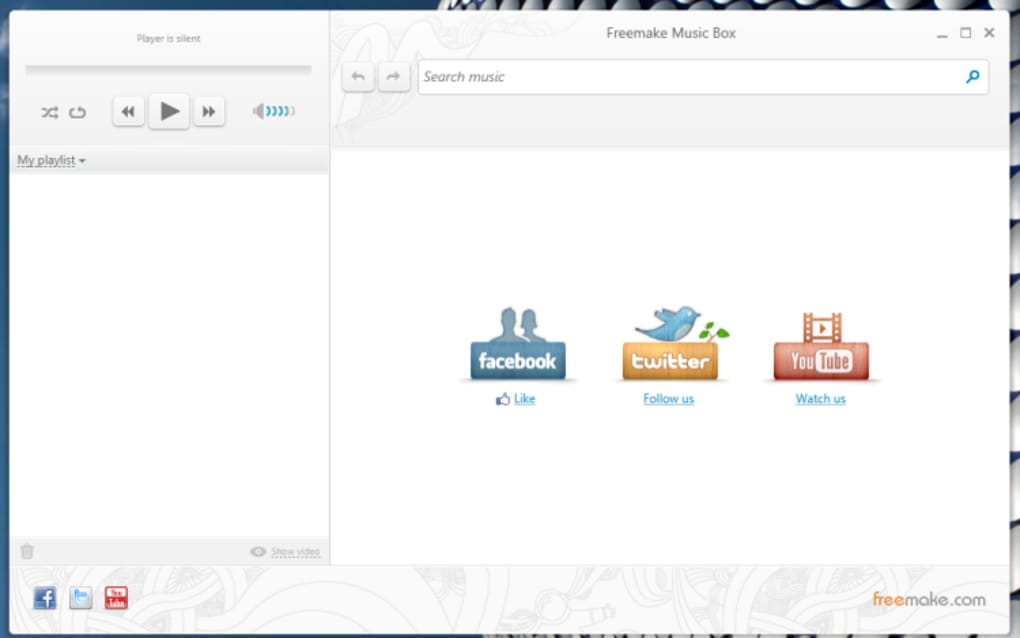
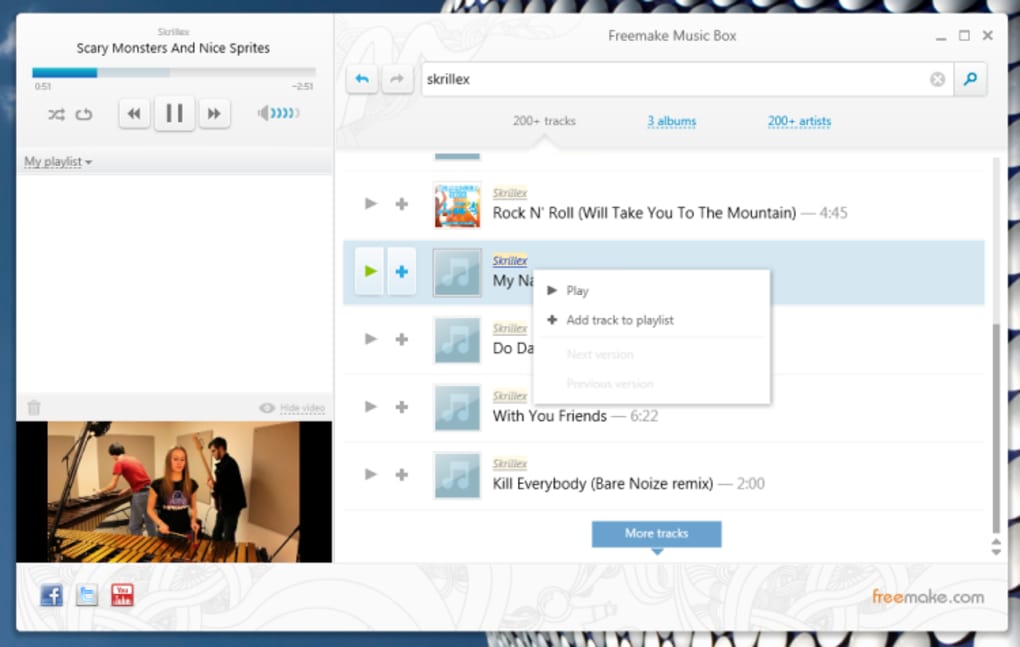
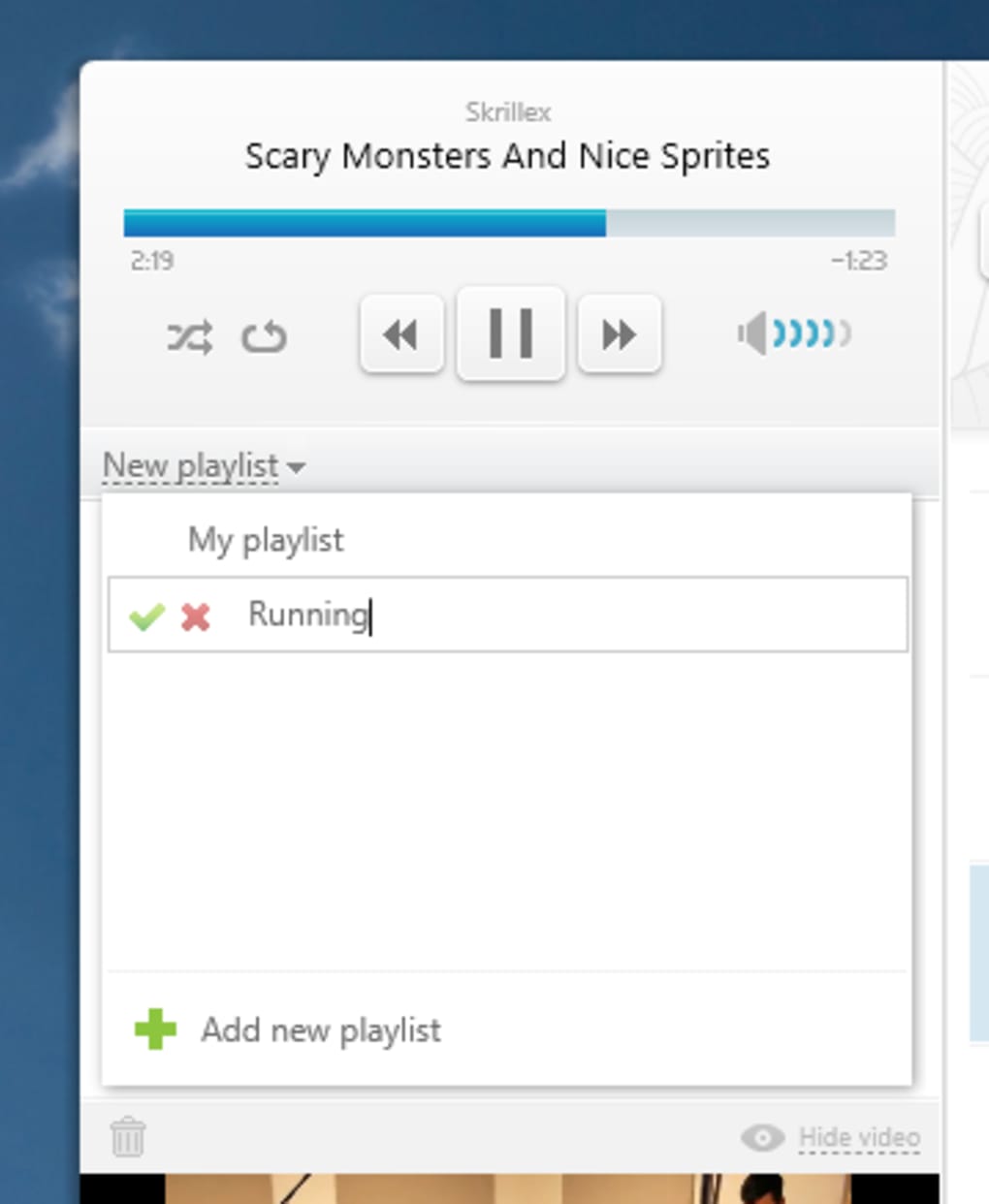
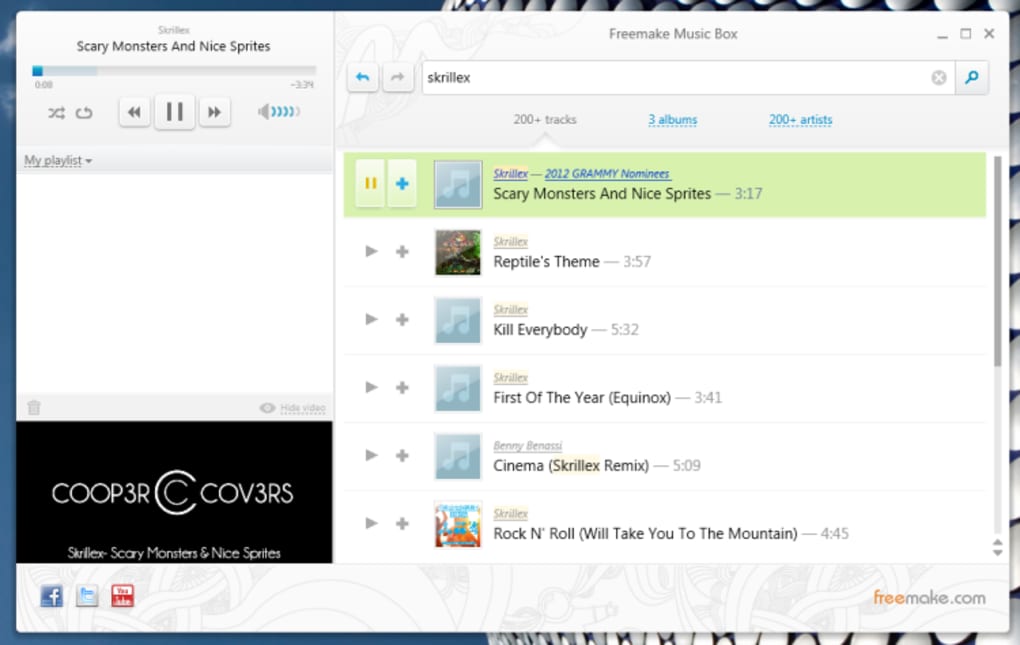
Freemake Music Box is a free, legal music‑streaming application that aims to break down geographic restrictions and deliver a worldwide catalogue of songs without the need for a subscription or a sign‑up. Built on a powerful search engine, the software scans public sources for tracks that are legally shareable, guaranteeing that listeners stay on the right side of copyright law. The interface is clean and straightforward: a search bar at the top, filter options for artist, album or track, and a compact player that can show a video thumbnail in the lower‑left corner. Users can hide the video, create custom playlists with a simple right‑click, and even import existing playlists in a variety of formats such as M3U, PLS, WPL, and more. While the app is still maturing, its core promise—free, unrestricted music—makes it a compelling alternative to mainstream services that either charge for premium features or limit usage to specific regions.
Because Freemake Music Box does not require an account, it eliminates the privacy concerns that come with platforms that track listening habits for advertising. The software also integrates local audio files as an additional source, meaning that any music already stored on your device can be mixed seamlessly with the streamed content. This hybrid approach broadens the listening experience, especially for users with extensive personal libraries. Though the catalog may sometimes contain mis‑tagged tracks, the built‑in skip function and playlist management tools help maintain a smooth flow.
Key Features of Freemake Music Box
- Free, legal streaming: All tracks are sourced from public domain or Creative Commons repositories, ensuring compliance with copyright regulations.
- No registration required: Users can start listening instantly without creating an account or providing personal data.
- Cross‑platform search engine: The app searches multiple online databases, delivering results that are not limited by country borders.
- Advanced filtering: Search results can be refined by artist, album, or track name, making it easy to pinpoint exactly what you want.
- Playlist support: Create, edit, and export playlists; import existing playlists in formats like M3U, M3U8, ASX, TPL, KPL, WPL, AIMPPL, PLC, PLS, RLC, ZPL, XSPT, SMI, SMIL.
- Local audio integration: The program automatically adds music stored on your computer as a secondary source, enhancing playback variety.
- Video preview window: A small video pane appears while a track plays, providing visual context; it can be hidden for a minimalist experience.
- Improved audio quality: Recent updates have refined streaming codecs, delivering clearer sound even on slower connections.
- Stability and UI tweaks: Ongoing bug fixes and minor graphical adjustments make the app more reliable for daily use.
- Free updates: Users receive continuous enhancements at no cost, keeping the software current with new features and security patches.
Installation & Usage – Getting Started Quickly
Downloading Freemake Music Box is a straightforward process. Visit the official Freemake website, click the “Download” button, and save the installer (typically a .exe file for Windows). The installer is signed and scanned for malware, so you can trust its security. Once the file is saved, double‑click to launch the setup wizard. The wizard walks you through a standard installation: accept the license agreement, choose an installation folder (the default works for most users), and decide whether to create a desktop shortcut. After a brief progress bar, the application is ready to launch.
When you first open Freemake Music Box, you’ll be greeted by a minimalist home screen. The central search bar is your entry point—type any song title, artist name, or album and press Enter. The results list appears in the main pane, each entry showing the track name, artist, album art (if available), and a small play icon. Use the filter dropdown to narrow results to “Artist,” “Track,” or “Album.” Clicking the play icon starts streaming; the video thumbnail pops up in the lower‑left corner, and the playback controls appear at the bottom.
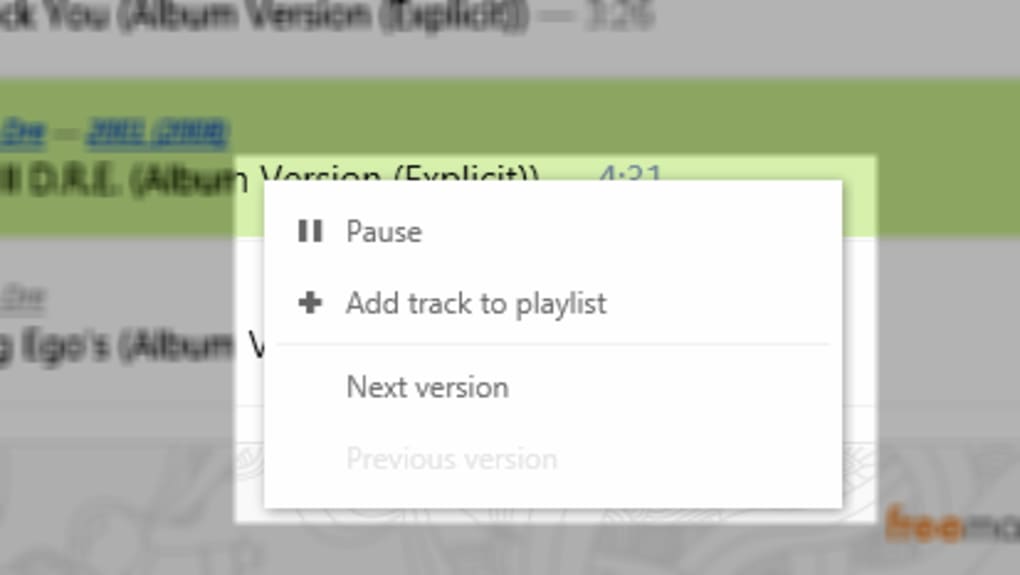
Creating a playlist is as simple as right‑clicking a track and selecting “Add track to playlist.” A dialog prompts you to name the new playlist or choose an existing one. Playlists are saved locally, and you can export them in any of the supported formats via the “Export Playlist” option in the File menu. To import an existing playlist, go to File → Import Playlist and select the appropriate file. The app will parse the list and add matching tracks to your library, merging online and offline sources.
For power users, the Settings menu provides options to adjust streaming quality, toggle the video preview, and manage the default music source order (online versus local). You can also enable automatic updates, ensuring you always have the latest bug fixes and feature enhancements. The interface is designed to be intuitive, but a helpful “Help” section is available under the “?” icon, offering step‑by‑step guides and troubleshooting tips.
Compatibility, Pros & Cons – What to Expect on Your Device
Freemake Music Box currently supports Windows 7, 8, 8.1, and 10 (64‑bit). A macOS version is planned for a future release, but the Windows build remains the most stable and feature‑complete. The software does not require an internet browser; it runs as a native desktop application, which improves performance and reduces resource usage compared to web‑based streaming services.
Pros
- Completely free with no hidden subscription fees.
- No account creation—instant access and enhanced privacy.
- Global music catalog that isn’t limited by region.
- Robust playlist import/export support for many file types.
- Integration of local audio files expands the listening library.
- Regular, free updates improve stability and audio quality.
- Lightweight desktop client that works well on older hardware.
Cons
- Occasional mismatched tags can lead to incorrect songs playing.
- Streaming speed depends on external source availability; some tracks load slowly.
- Limited to Windows; macOS and Linux users must rely on alternatives.
- Absence of a dedicated mobile app (Android/iOS) restricts on‑the‑go usage.
- No official customer support; community forums are the primary help channel.
Overall, Freemake Music Box excels at delivering a cost‑free listening experience without the geographic constraints imposed by many mainstream services. Its drawbacks—primarily related to tagging accuracy and platform availability—are typical for a free, community‑driven project. Users who value privacy and a diverse music library will find the pros outweigh the cons.
Frequently Asked Questions
Is Freemake Music Box really free and legal?
Yes. The application only indexes music that is available under public domain, Creative Commons, or other legally shareable licenses. It does not host copyrighted material without permission, ensuring that listening is both free and compliant with copyright law.
Do I need to create an account to use Freemake Music Box?
No. The software is completely account‑free. You can download, install, and start streaming immediately, which also means your personal data isn’t collected for advertising purposes.
Can I import my existing playlists?
Absolutely. Freemake Music Box supports a wide range of playlist formats, including M3U, PLS, WPL, ASX, and many others. Use the “Import Playlist” option in the File menu to bring your collections into the app.
Why does a different song sometimes play after I select a track?
The issue usually stems from inaccurate metadata on the source video or audio file. Freemake Music Box pulls tracks from public sources where tagging can be inconsistent. You can right‑click and choose “Skip to next version” to find a correctly labeled track.
Is there a mobile version for Android or iOS?
At the moment, Freemake Music Box is only available for Windows desktops. The development team has hinted at future mobile releases, but no official date has been announced.
Conclusion – Should You Download Freemake Music Box?
Freemake Music Box offers a refreshing alternative to subscription‑based streaming giants by delivering a truly free, globally accessible music library without the hassle of sign‑ups or hidden fees. Its strengths lie in privacy, playlist flexibility, and the ability to blend online streams with local audio files. While the platform still grapples with occasional mis‑tagged tracks and limited operating‑system support, the recent updates—especially the enhanced audio playback and broader playlist compatibility—show a clear commitment to improvement.
If you value a no‑cost solution and are comfortable navigating a desktop‑only environment, downloading Freemake Music Box is a worthwhile experiment. The software’s lightweight footprint makes it suitable for older PCs, and its regular free updates ensure that the experience will only get smoother over time. For users who need a reliable, ad‑free mobile experience, a complementary app may still be required, but for desktop listening Freemake Music Box hits the mark.
Ready to explore a world of free, legal music? Click here to download Freemake Music Box and start building your playlists today.
Guides & Tutorials
How to install Freemake Music Box
- Click the Download button above.
- Once redirected, accept the terms and click Install.
- Wait for the Freemake Music Box download to finish on your device.
How to use Freemake Music Box
This software is primarily used for its core features described above. Open the app after installation to explore its capabilities.
User Reviews
No reviews yet. Be the first to share your experience.
You may also like
more
Llama 2
Free-to-use large language model As the new addition to Meta’s arsenal of langua...

NotebookLM
Revolutionizing the note-taking and idea-generation process NotebookLM is an exp...

Github co pilot
AI-inspired software development and coding platform GitHub Copilot is a browser...

Google Gemma
Google’s lightweight AI models Introducing Google Gemma , a family of cutting-ed...

AI Image Enlarger
A free app for Windows, by ai-image-larger. AI Image Enlarger is a free software...

DALL E
AI-driven text-to-image transformation engine DALL·E is a free graphic and desig...